Dashboard
A dashboard that sees the whole company
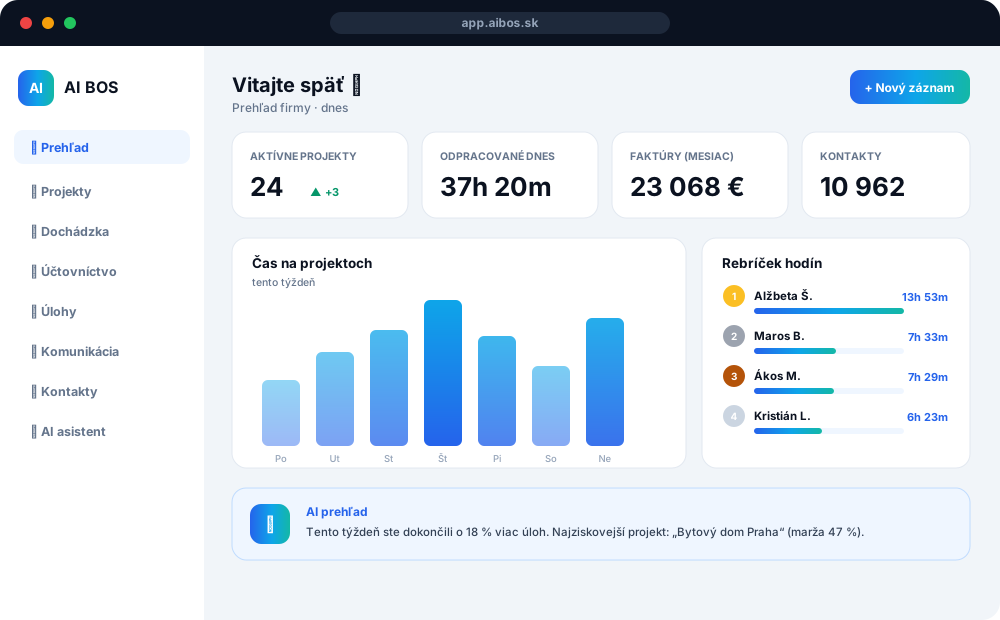
The first screen after login shows what's happening right now — who's working, on what and for how long.
- Time per project with period switching (day / week / month / year)
- Employee worked-hours leaderboard with medals
- Top tasks by time, task distribution by status
- AI overview: performance summary and recommendations
- Admin sees who's clocked in — and can clock them out or switch them
Attendance
Attendance without paper and without guesswork
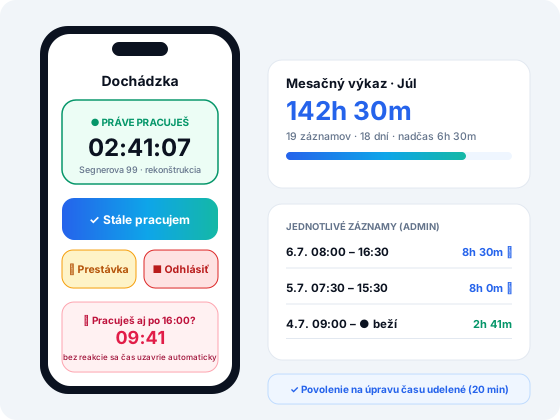
Every worker clocks in on mobile or desktop. Time runs on a specific project and task.
- Clock in / out with one tap, or via QR code
- Breaks are automatically deducted from worked time
- An “Are you still working?” prompt every 30 minutes, highlighted after 8 hours
- After 16:00 on workdays: with no reply within 10 minutes the time is closed at the moment shown — overtime runs only when confirmed
- Admin edits start, end, duration and total project time
- A regular user requests permission — the admin edits it or grants 20 minutes of editing
Accounting
Accounting that posts itself
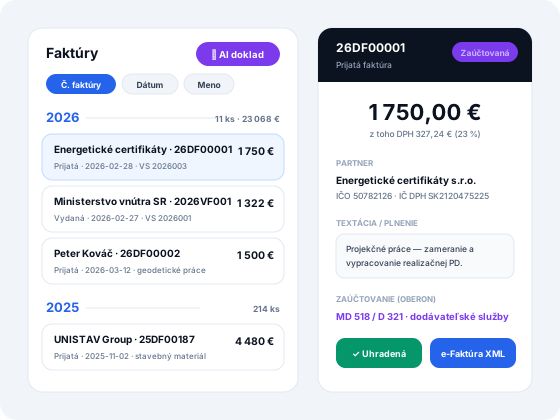
A full agenda for multiple companies at once — invoices, receipts, bank and payroll with AI help.
- Multiple company ledgers like in OBERON — searchable by name and company ID
- Invoices grouped by year with totals, sorted by number / date / name
- Invoice detail with description and the scanned original
- AI document upload: photo → partner, amounts, VAT, dates, posting
- Posting based on rules imported from OBERON
- UBL BIS 3 XML e-Invoice (ready for the 2027 mandate)
- CSV bank statement import with VS matching
- Forms: VAT return, control statement, social insurance, health insurers
- Export for Exalogic
Drawings → Archicad 29
From a drawing or text straight to a BIM model
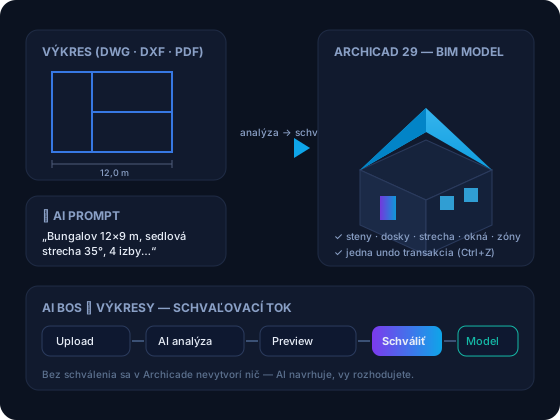
AI BOS connects directly to Archicad 29 through its own native add-on — drawings turn into real BIM models.
- Upload a DWG, DXF, PDF or a floor-plan photo — AI recognises walls, openings and rooms
- Or simply describe the building in text or dictate it by voice 🎤 — AI designs the model
- Building catalogue: family houses, apartment buildings and halls — a finished model in 1 click
- Preview + confidence score → nothing is created without your approval
- Archicad gets walls, slabs, roofs, windows, zones and furniture — one undo transaction
- The system learns from every project — architectural rules + lessons from practice
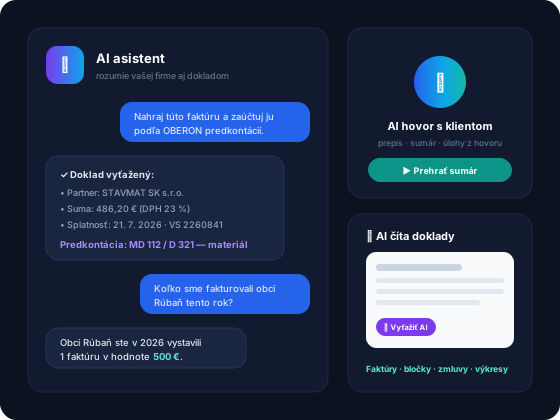
AI assistant
AI in everything you do
It's not a bolt-on chatbot — AI is built right into your company's processes.
- Extracting invoices and receipts from photos or PDFs
- Automatic posting based on posting history
- AI calls: transcript, summary, tasks attached right to the contact
- Voice assistant and AI document search
- AI company overview: what's going well, where capacity is, what's urgent